
Stage & architectural lighting · Practical guide
LED Fades That Jump or Pop On: What a Better Curve Can and Cannot Fix
Separate cue programming, fixture resolution and driver performance before accepting low-level LED dimming.
YKCA Journal · 5 min read · Updated October 3, 2026
Start here
A smooth command curve cannot guarantee smooth physical light output from an incompatible assembly.
Describe the transition rather than the fixture label
A rough fade can appear as visible steps, a delayed first glow, a sudden jump near the bottom or an uneven change among fixtures. Record which behavior occurs and whether it appears on the way up, the way down or both. Include the cue duration, starting level, ending level and whether the fixture was previously off. That is a narrower and more useful problem than asking whether LEDs dim well in general. The assembled system and its settings need evaluation.
Separate commanded levels from physical output
ETC’s Eos documentation explains that curves alter the relationship between a fade and commanded output. Lutron’s LED guidance discusses performance concerns such as pop-on and low-level behavior. Those concepts help separate programming from the light engine’s actual response. A console can send a finely shaped transition, yet the driver or fixture may not reproduce every low level smoothly. Conversely, suitable hardware can look poor under an unsuitable personality or cue configuration. Ask the programmer to identify where curves are applied and confirm the selected operating mode. Stacking adjustments in several places can make a later technician’s interpretation unnecessarily difficult.
Reference: ETC Eos: Curves · Lutron: troubleshooting LED dimming and flicker
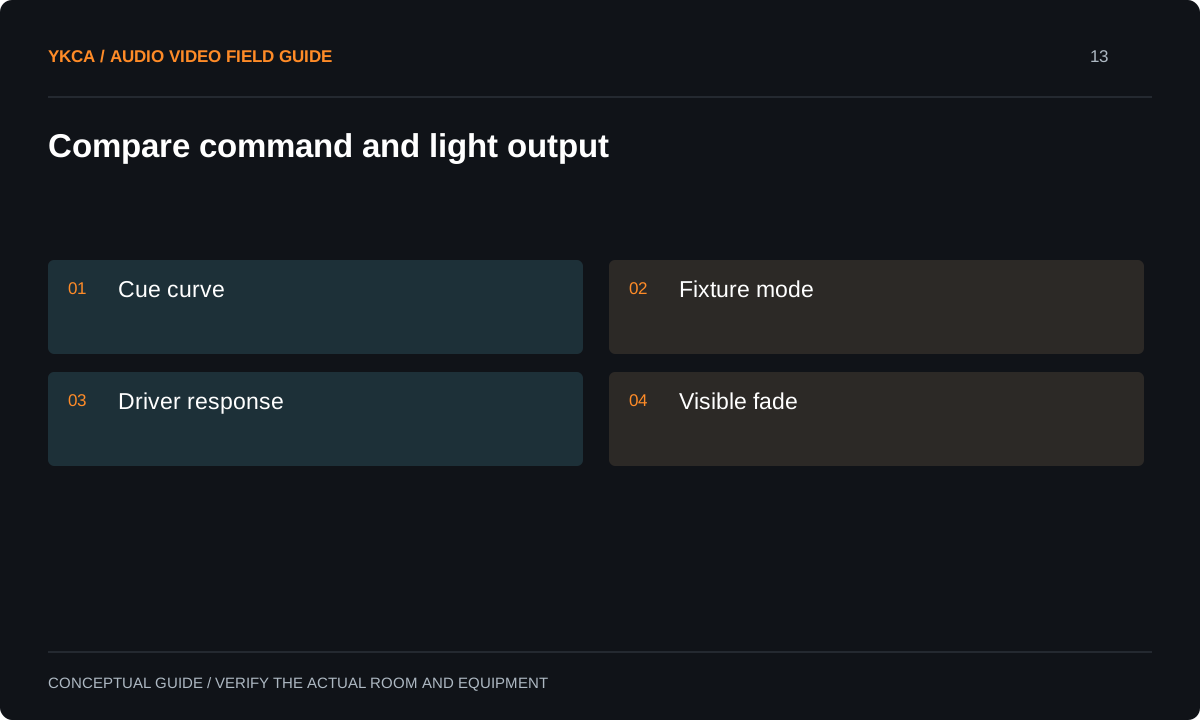
- Cue curve
- Fixture mode
- Driver response
- Visible fade
Test the exact assembly intended for installation
For LED tape, include the specified tape, driver or decoder, power supply and control configuration in the mockup. Substituting one part can change the result. Have the responsible installer verify the assembly against its manufacturer requirements; this article is not a power-supply or conductor-sizing design. For complete fixtures, test the proposed model and operating personality rather than a different fixture from the same brand. Evaluate the lowest useful scene, a slow fade and a switch-off followed by a low-level recall. A showroom demonstration at a comfortable midrange level can miss the exact behavior that matters during a theatrical blackout transition.
Reference: ETC Eos: Curves · Lutron: troubleshooting LED dimming and flicker
Compare a cue requirement
Imagine a scenic light that must emerge gently from darkness over a long cue. The mockup reaches a pleasant low static level after dimming down, but when switched off and recalled to that same value it remains dark until a higher command arrives. That difference matters to the production even if both scenes look acceptable once established. The team records the behavior and compares supported settings or alternate equipment. If a minimum level is accepted as a compromise, the designer should show how it changes the intended cue before the owner approves the final scope.
Judge matching and camera behavior together
A single sample may fade well while mixed models or production batches behave differently. Where a continuous scenic effect requires matching, test a representative group together. Observe from the audience position and through the intended camera when recording is part of the scope. Changes intended to improve one quality may require another check, especially when fixture-specific operating modes are involved. Record the actual settings and avoid unsupported claims that a higher bit-depth label guarantees a perfect fade. The useful acceptance question is whether the required transition looks appropriate in the complete scene under the approved conditions.
Document the accepted lower limit
The handoff should include fixture modes, applied curves, cue files and any deliberately limited low-end range. Explain whether staff may edit cue timing and which equipment substitutions require review. Retain a short reference recording of the accepted transition when useful, with no private event content. If the original artistic requirement remains unmet, identify it as an open item rather than rewording the requirement after installation. Future maintenance should restore the approved assembly and settings. A replacement driver that turns the lights on is not necessarily equivalent to the one that passed the venue’s slow-fade acceptance test.
A stage lighting installation should state the required fade as an observable result. Instead of asking for “good dimming,” identify the scene transition, viewing position, intended duration and whether the first visible light from off must be gradual. Ask the supplier to demonstrate that transition with the proposed assembly and retain the configuration used. If the project mixes scenic tape with complete luminaires, give each its own acceptance row; similar control values do not guarantee matching visual output. Keep a record of any artistic compromise, such as maintaining a faint background glow instead of reaching full darkness. That lets the owner compare a less expensive solution honestly against the original creative requirement.
Compare the next steps
A decision table for this problem
| Visible behavior | Comparison | Possible scope decision |
|---|---|---|
| Steps throughout fade | Command mode and cue configuration | Programming or capability review |
| Sudden first glow | Off-to-low versus dim-down test | Minimum scene or alternate assembly |
| Different fixtures start unevenly | Representative group comparison | Matching and configuration review |
| Static scene good, slow cue poor | Timed transition at real duration | Cue-specific acceptance |
| Camera bands during fade | Actual camera recording | Coordinate dimming and filming modes |
Use this in the room
Your working checklist
Common questions
Will a custom curve always solve pop-on?
No. A curve changes commanded values. If the assembly cannot produce stable light in part of its range, a different configuration or component may be needed.
Is a 16-bit personality automatically smooth?
It can provide finer command resolution where supported, but visible performance still depends on the fixture and its operating behavior. Test the required transition.
Can we accept a minimum brightness floor?
Yes, if the owner and designer understand its effect on the required scenes. Record it as an intentional limitation rather than hiding it in programming.
Read the original guidance
Sources and discussion context
Research used primary documents and, where full text was unavailable, indexed excerpts from official sources. A citation does not mean the complete document was accessible. Product behavior depends on the actual model, configuration and documentation. Confirm the requirements for your venue before changing the installation.
Reader problems behind this guide
These Reddit discussions helped identify the practical question. They are individual experiences, not technical authority or a measure of how common the problem is. Examples and diagrams illustrate planning decisions; they are not records of completed YKCA projects or installation drawings.
- LED tape dimming control?
Programmed fades on set-integrated LED tape jumped in intensity rather than rising smoothly.
Research access: search excerpt only.
Keep the whole system in view
