
Controls & integration · Practical guide
The Display Turns Off but Will Not Wake: Verify Control Compatibility
Evaluate standby behavior, control interfaces and status feedback before declaring existing displays compatible with a new system.
YKCA Journal · 5 min read · Updated October 3, 2026
Start here
Successful power-off control does not prove reliable power-on after extended standby.
Define the standby condition that fails
A display that responds during commissioning may behave differently after a long idle period. Record whether the problem follows scheduled shutdown, manual power-off, loss of signal or an interruption of building power. Identify the display and controller models, firmware and selected input. That is a specific compatibility symptom, not proof that all HDMI control is unreliable. Reproduce the same standby condition during a planned test. Pressing power repeatedly immediately after shutdown may miss the state that causes the morning failure.
Identify the supported control path
Consumer Electronics Control, or CEC, carries certain device-control commands over HDMI. Other installations may use infrared, a serial connection such as RS-232 or network commands. Crestron’s documented DM NVX settings show model-dependent choices for automatic display power, while its control-system documentation exposes status and configuration functions. These capabilities do not establish what an arbitrary display accepts. Read the exact display’s control documentation and record which commands and feedback are supported. A connector present on the rear panel is not enough. The integrator should specify the actual interface and command behavior that will be used for the approved operating sequence.
Reference: Crestron: DM NVX D10/D20/D200/E10/E20 Settings · Crestron: 4-Series Web Configuration
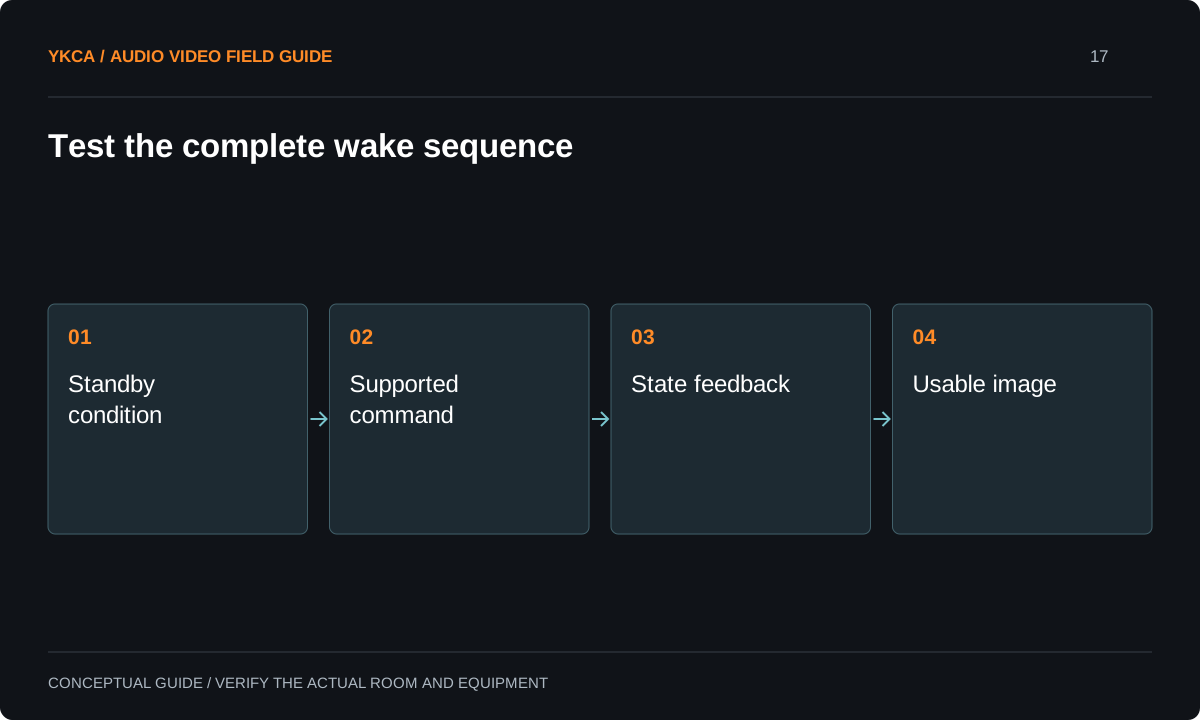
- Standby condition
- Supported command
- State feedback
- Usable image
Distinguish command request from confirmed state
A control system may send “power on” successfully while the display ignores it or remains unavailable. Where supported, verify the returned power state and selected input. Where feedback is unavailable, represent the limitation honestly in the user interface and acceptance record. Review documented standby and energy settings with the owner and relevant project requirements rather than disabling every feature indiscriminately. Different standby configurations can change network or control availability. Preserve the original settings and explain any required adjustment. The goal is predictable operation within the accepted design, not an unexplained collection of menu changes that the next technician cannot reproduce.
Reference: Crestron: DM NVX D10/D20/D200/E10/E20 Settings · Crestron: 4-Series Web Configuration
Run a morning-start test
Suppose a meeting room operates normally all afternoon but fails on the first scheduled start the following morning. The technician records the evening shutdown state and tests the approved wake sequence after a comparable idle interval. A second test checks whether a direct supported command behaves differently from the scheduled control action. This narrows the investigation between display behavior and controller logic without assuming either is responsible. If an alternate documented interface is proposed, it receives the same test. A successful immediate restart is useful evidence, but it does not substitute for the long-standby condition that originally failed.
Include source selection and recovery
Power is only part of a usable start sequence. Verify that the display selects the intended source, shows an image and reaches the required operating mode. Test what happens if the source appears late, is disconnected or was left active overnight. Include an authorized power-interruption recovery test if that is part of the agreed commissioning scope. Record any timing requirements from the equipment documentation. Do not create an elaborate delay sequence without explaining why each step exists. A small change in a display model or firmware should prompt revalidation rather than an assumption that the old sequence will remain correct.
Document reuse as a tested decision
The handoff should name the reused display, accepted interface, required settings and tested operating states. Keep control configuration and a rollback copy with the project records. Give staff a simple recovery instruction that does not require access to protected technical menus. If a limitation remains, such as no reliable state feedback, identify its operational consequence. Reuse can be sensible when the required functions are verified, but it should not become an open-ended promise to make every legacy device behave like a current integrated endpoint. Acceptance belongs to the demonstrated workflow and documented conditions, not merely to a successful command during installation.
For an audiovisual control system installation that reuses legacy displays, separate verified functions from desired functions in the equipment schedule. Mark power-on, power-off, input selection, mute and status reporting individually. Add the standby condition and method used for each test. This exposes partial compatibility early: a display may be suitable for manually started presentations but not for the owner’s expected unattended schedule. The owner can compare a documented limitation with an alternate interface or replacement option before programming expands around the wrong assumption. Retain the exact settings after acceptance, because a later factory reset or energy-setting change can remove the behavior that made reuse practical in the first place.
Compare the next steps
A decision table for this problem
| Condition | Test | Result to record |
|---|---|---|
| Short standby | Normal startup command | Response and final source |
| Extended idle | First scheduled start | Reliable wake or repeatable failure |
| Source arrives late | Connect after startup begins | Selection and displayed image |
| Display powered manually | Controller state comparison | Whether feedback stays accurate |
| Approved power interruption | Documented recovery sequence | Final usable room state |
Use this in the room
Your working checklist
Common questions
Is CEC always unsuitable for commercial rooms?
No. Evaluate the required behavior on the exact equipment. The relevant question is whether the selected control path passes the agreed operating and recovery tests.
Can we replace CEC with RS-232?
Only if the display and controller support the needed commands and connection. Confirm documentation and test the full sequence rather than assuming the interface name guarantees success.
Should users keep a remote control as a workaround?
A documented fallback may be useful, but it should not conceal an unresolved requirement for reliable scheduled or one-touch operation.
Read the original guidance
Sources and discussion context
Research used primary documents and, where full text was unavailable, indexed excerpts from official sources. A citation does not mean the complete document was accessible. Product behavior depends on the actual model, configuration and documentation. Confirm the requirements for your venue before changing the installation.
Reader problems behind this guide
These Reddit discussions helped identify the practical question. They are individual experiences, not technical authority or a measure of how common the problem is. Examples and diagrams illustrate planning decisions; they are not records of completed YKCA projects or installation drawings.
- AM-3200 CEC display control - will turn off, not on
A display accepted power-off commands but failed to turn on under the scheduled operating mode.
Research access: search excerpt only.
Keep the whole system in view
