
Controls & integration · Practical guide
AV Monitoring That Helps: Define Faults, Ownership and Response
Turn an equipment dashboard into a practical support process by distinguishing online status from usable room functions.
YKCA Journal · 5 min read · Updated October 3, 2026
Start here
Monitoring is complete only when meaningful failures reach someone who can act.
Define what failure the owner needs to know about
An equipment dashboard may show dozens of devices while missing the one condition that stops a meeting. Start with operational consequences: the room cannot start, a required microphone is unavailable, an expected device is missing or the system cannot be monitored. Identify which of these conditions the installed products can actually report. Write the owner’s required outcomes before selecting a dashboard or promising comprehensive coverage.
Separate present state from historical alert
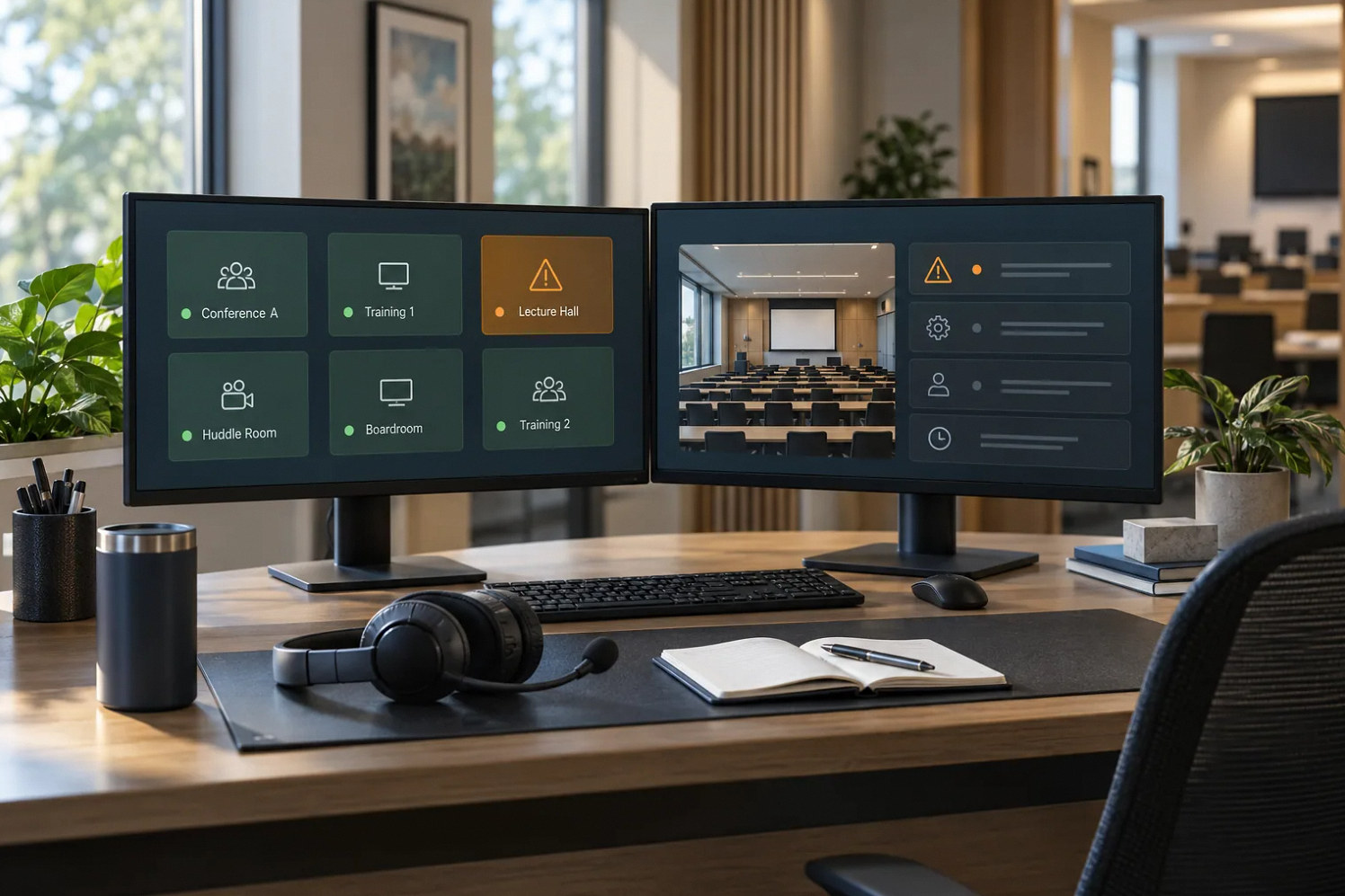
Q-SYS Reflect documents alerts for conditions such as missing devices and systems going offline. It also distinguishes the current status from the severity of a past event. Its site view groups systems by operating state. Those documented capabilities are useful examples, but they do not mean every connected device exposes every useful fault. A system may have recovered while its history still contains an error, or monitoring may be unavailable even though local functions continue. Define the message operators receive for each condition. Avoid a generic red indicator that leaves staff unable to tell an active outage from a resolved event.
Reference: Q-SYS Reflect: Alerts and Notifications · Q-SYS Reflect: Sites
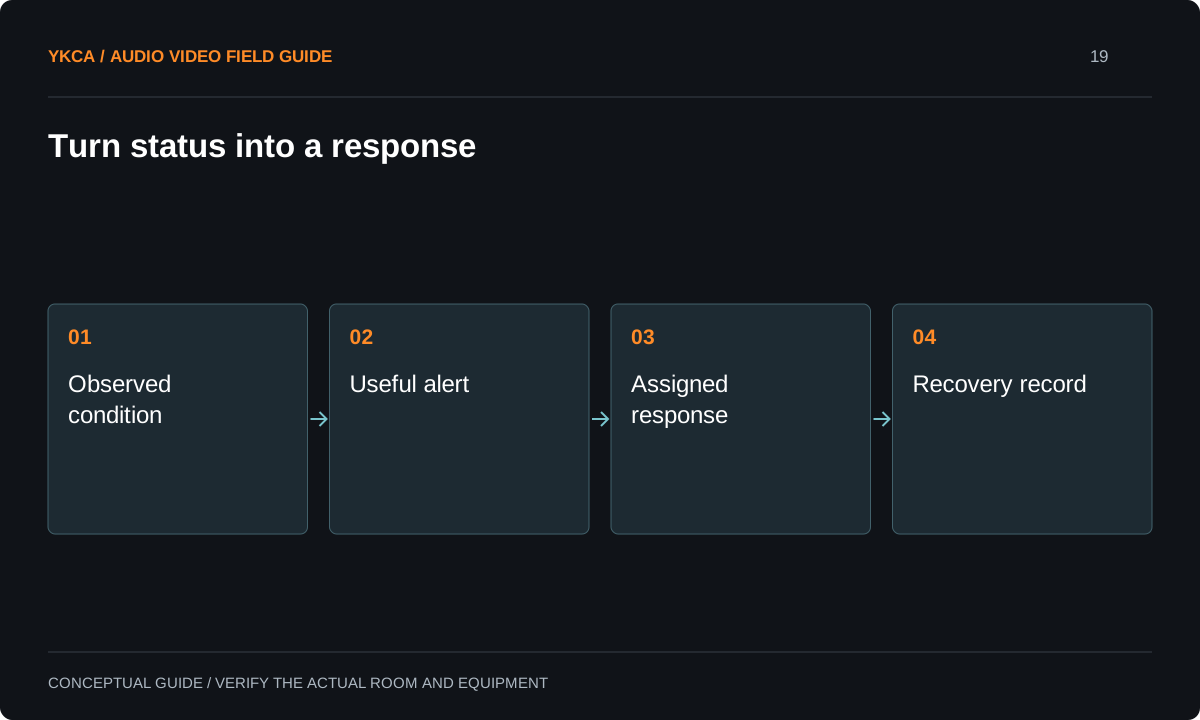
- Observed condition
- Useful alert
- Assigned response
- Recovery record
Build a monitored-condition register
For each important function, name the observable signal, expected normal state, alert threshold or timing, recipient and first response. Identify gaps where no reliable status is available. For example, a network response can establish reachability without proving that a display shows the intended image. A signal meter may establish activity without proving intelligible audio at a seat. Functional checks can supplement device monitoring, but their implementation and privacy implications need appropriate review. Do not claim that monitoring tests the audience experience unless it actually does. Honest coverage boundaries help the owner decide which failures still require a human observation.
Reference: Q-SYS Reflect: Alerts and Notifications · Q-SYS Reflect: Sites
Walk through an alert response
Suppose a scheduled event is approaching and a required endpoint reports missing. The alert identifies the room, device and time, and reaches the designated support person. That person checks the current state, confirms whether the room is in use and follows the approved recovery procedure. If the device returns, the recovery is recorded and the incident is reviewed if it recurs. Without an assigned recipient and authority to act, the same alert may simply accumulate in an inbox while staff discover the problem minutes before the event.
Control remote actions separately
Monitoring access and permission to change a system should be scoped separately. Restarting a processor or altering a route can interrupt a meeting even when the action is technically available. Define who may act, when a maintenance window is required and how staff are notified. Confirm account ownership, access removal and any required service subscription through the chosen platform’s current terms. Do not assume that buying hardware includes perpetual cloud access or staffed support. The owner should understand which costs and responsibilities belong to the monitoring service, the integrator and internal IT before treating the dashboard as an operational safety net.
Test notification and loss of visibility
During an agreed test window, demonstrate representative faults that can be introduced safely, verify alert delivery and confirm recovery reporting. Also test or document what happens when the monitoring path itself becomes unavailable. Avoid disruptive tests during live events. Keep an alert inventory and adjust noisy rules through a controlled review so genuine problems are not ignored among repetitive messages. At handoff, provide the response guide, monitored scope and escalation contact. Periodically review whether the alerts still match the room’s current equipment and use. A useful monitoring system produces actionable evidence, not merely a reassuring collection of green icons.
When scoping an audiovisual control system installation, ask for a demonstration of the alert workflow using the owner’s actual support arrangement. A test message reaching the installer’s personal account does not prove that the organization will receive it after handoff. Confirm the primary recipient, backup recipient, coverage hours and escalation path without inventing an implied service-level promise. Include an approved method for distinguishing planned maintenance from unexpected failure. If the owner does not purchase ongoing support, document which alerts remain useful for internal staff and which require a separate service call. The dashboard, notification route and human response should be accepted as one operating process, with every recurring dependency visible in the scope.
Compare the next steps
A decision table for this problem
| Reported condition | What it can mean | Required response definition |
|---|---|---|
| Device reachable | Network response succeeds | Do not imply functional acceptance |
| Device missing | Expected endpoint unavailable | Identify owner and initial check |
| System offline to cloud | Monitoring path unavailable | Assess local operation separately |
| Past fault, current normal | Condition recovered | Review history and recurrence |
| Repeated intermittent warnings | Unstable or overly noisy condition | Investigate before suppressing alerts |
Use this in the room
Your working checklist
Common questions
Does online status mean the room works?
No. It establishes only the status measured by that tool. Source routing, acoustics, image quality and operator workflow may need separate functional verification.
Should every warning generate an immediate message?
Choose notification behavior based on consequence and support capacity. Preserve useful history while ensuring urgent faults remain visible and actionable.
Can remote monitoring replace local support entirely?
Not generally. Some faults need physical inspection, replacement or an on-site functional check. State which issues can be handled remotely and how local work is arranged.
Read the original guidance
Sources and discussion context
Research used primary documents and, where full text was unavailable, indexed excerpts from official sources. A citation does not mean the complete document was accessible. Product behavior depends on the actual model, configuration and documentation. Confirm the requirements for your venue before changing the installation.
Reader problems behind this guide
These Reddit discussions helped identify the practical question. They are individual experiences, not technical authority or a measure of how common the problem is. Examples and diagrams illustrate planning decisions; they are not records of completed YKCA projects or installation drawings.
- What do you use to monitor your AV systems?
An organization wanted remote notifications across equipment racks and needed to understand practical monitoring capabilities.
Research access: search excerpt only.
Keep the whole system in view
