
Controls & integration · Practical guide
AV Handoff: The Files and Access Needed to Maintain the System
Distinguish installed programs, editable source, configuration backups and restore evidence before accepting a completed integration.
YKCA Journal · 5 min read · Updated October 3, 2026
Start here
A folder called backup is not proof that another technician can restore or modify the system.
Define the maintenance task the package must support
An owner may need to restore a failed processor, adjust a room workflow, replace a display or engage a different service provider. Those tasks require different information. Start by listing which future actions the project handoff is intended to enable. It does not establish a universal legal right to every integrator’s proprietary material. Source rights, permitted use and third-party dependencies should be made explicit in the project agreement. The practical goal is a package that supports the owner’s agreed maintenance needs.
Separate source, deployed program and device backup
Editable source is the material used to modify a program. A deployed or compiled program may run the system without providing the same editing capability. Device configuration backups may preserve still another set of settings. Q-SYS explicitly documents that its Core configuration backup excludes items such as design files, licenses and user-managed media, which require separate handling. Crestron’s XiO Cloud documentation describes uploaded program versions and deployment management. These examples show why a single downloaded file should not be assumed to contain everything. Ask the integrator to identify each delivered file’s purpose and the tool and version needed to use it.
Reference: Q-SYS: System Backup and Restore · Crestron XiO Cloud: Load a Program to a Control System
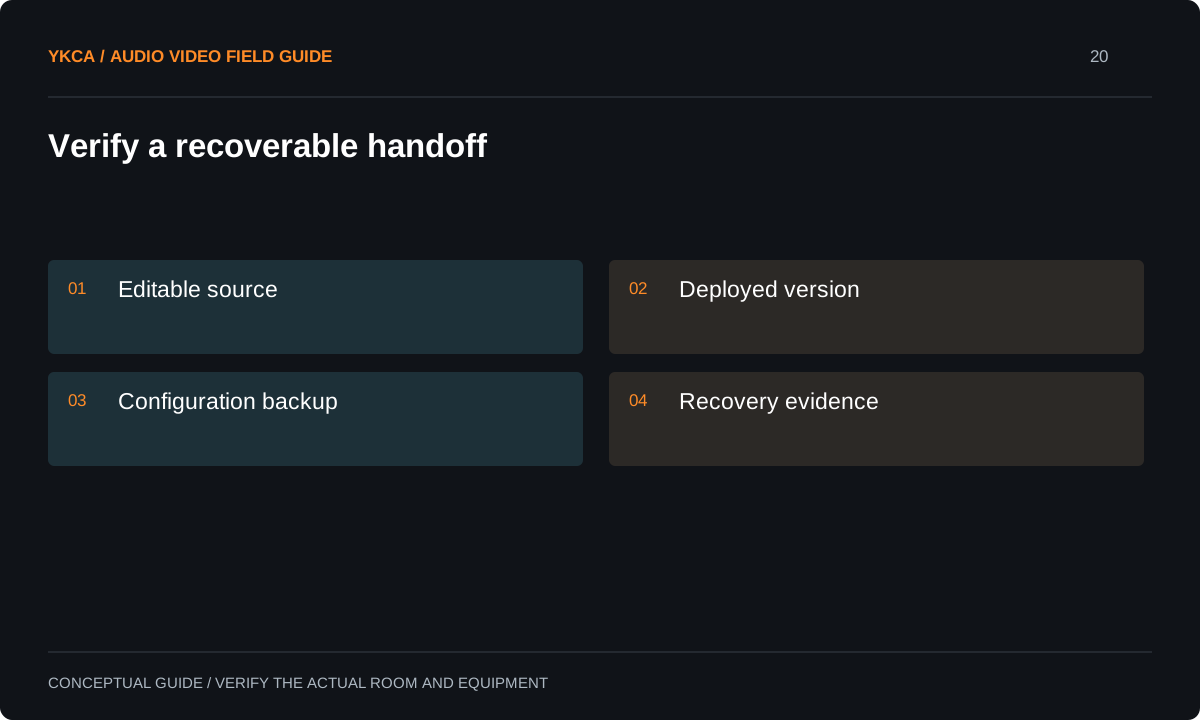
- Editable source
- Deployed version
- Configuration backup
- Recovery evidence
Build a deliverables manifest
The manifest should connect room names and device identifiers to drawings, configuration files, source archives and the accepted deployed version. Include required software, drivers, modules, media and licenses as applicable, with their ownership or access arrangements. Record any item intentionally excluded and its practical consequence. Transfer secrets through the organization’s approved credential method rather than placing passwords in a shared PDF. Keep serial numbers and internal network information within appropriate project access controls. A tidy directory is helpful, but the manifest matters more: another authorized technician should be able to tell which files describe the working system and which are historical drafts.
Reference: Q-SYS: System Backup and Restore · Crestron XiO Cloud: Load a Program to a Control System
Use a processor-replacement review
Imagine the owner receives a processor backup and assumes it will restore the room after hardware failure. During handoff review, the team compares the backup’s documented contents with the room’s actual dependencies. It discovers that the editable design, media or feature licensing requires separate preservation. Those items are then added or their recovery process is documented. The useful question is not whether a file exists, but whether the agreed recovery can be completed using the delivered package, approved access and available compatible hardware.
Verify the package without disrupting production
Have the responsible technician open the editable project in the agreed software environment and confirm that the expected dependencies are available. Compare it with the accepted deployed version. Where a restore demonstration is part of the scope, perform it on suitable spare or test equipment or within an explicitly authorized maintenance window. Do not interrupt a live system merely to prove a backup exists. Record what was actually verified: file presence, successful opening, compilation where relevant or a demonstrated restore. These are different levels of evidence. Any step not performed should remain clearly identified rather than being implied by the word complete.
Assign ongoing custody and update responsibility
The final handoff should identify where the owner’s copy is stored, who can access it and who updates it after changes. Keep a stable accepted baseline and version later modifications with meaningful notes. Confirm how accounts, certificates, subscriptions and support contacts will be maintained. Give operators a concise room guide and retain the technical package for authorized service personnel. When the owner approves a new feature, its revised source, deployment and documentation should travel together. A maintainable AV system is one whose working configuration can be understood and responsibly recovered after the original commissioning team has moved on.
For an audiovisual control system installation, use a handoff manifest with a simple evidence column. “Received” means the file was delivered; “opened” means it loaded in the identified tool; “verified against deployment” means it was compared with the accepted system; “restore demonstrated” means the agreed recovery was actually performed. Do not collapse these different checks into a single green mark. Give the owner a list of outstanding dependencies with a named responsible party and a practical next action. That makes acceptance concrete even when a full hardware-replacement rehearsal is outside the current scope. The same manifest can be updated after each approved change, preserving continuity without requiring future staff to reconstruct the original commissioning history.
Compare the next steps
A decision table for this problem
| Deliverable | Purpose | Verification boundary |
|---|---|---|
| Editable source project | Modify agreed behavior | Opens with required dependencies |
| Deployed program version | Identify what currently runs | Matches accepted installation |
| Device configuration backup | Restore covered settings | Scope checked against manual |
| Media, licenses and modules | Preserve external dependencies | Separate custody and recovery recorded |
| Drawings and access manifest | Support diagnosis and replacement | Current device identifiers and secure access |
Use this in the room
Your working checklist
Common questions
Does owning the hardware mean source files are included?
Do not assume that. Define the agreed deliverables and permitted use in the project agreement, including third-party components and future service needs.
Can a processor backup replace the original project file?
That depends on the product and backup type. Check its documented contents. Some configuration backups explicitly exclude the editable design.
Should we ask for a live restore demonstration?
Only through an agreed safe test plan. A suitable test unit may establish more without disrupting service; otherwise record the verification limits and plan an authorized maintenance window.
Read the original guidance
Sources and discussion context
Research used primary documents and, where full text was unavailable, indexed excerpts from official sources. A citation does not mean the complete document was accessible. Product behavior depends on the actual model, configuration and documentation. Confirm the requirements for your venue before changing the installation.
Reader problems behind this guide
These Reddit discussions helped identify the practical question. They are individual experiences, not technical authority or a measure of how common the problem is. Examples and diagrams illustrate planning decisions; they are not records of completed YKCA projects or installation drawings.
- Documentation standards
Practitioners discussed documentation, equipment identification and the location of archived source code.
Research access: search excerpt only.
Keep the whole system in view
