
Commercial electrical · 6 min read
Office network power problems: investigate the supply before buying a larger UPS
Map circuits, connected loads, UPS limits and the complete network path to diagnose reboots and create a useful office power scope.
YKCA Journal · Sources reviewed October 3, 2026
Explore the guide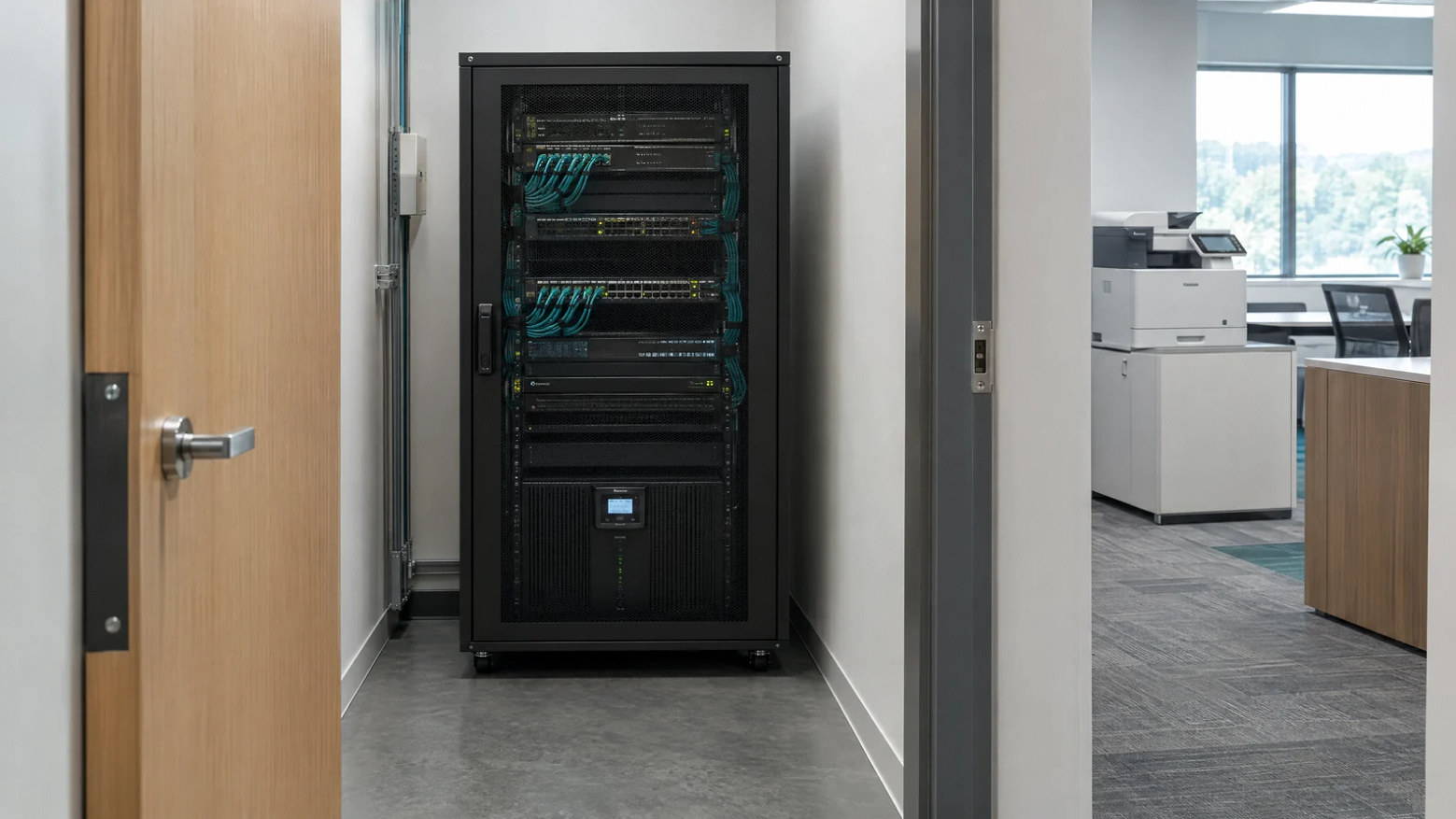
Commercial electrical: browse all five guides ↗
The key decision
A larger UPS will not automatically fix an office power problem or preserve internet service. Identify the symptom, actual circuit arrangement and every device the critical service depends on.
Start with the failure you need to prevent
If office networking equipment reboots when a printer starts, or a UPS repeatedly clicks onto battery, record the event before buying more equipment. Identify the affected devices, what was operating and whether lights or other electronics changed at the same time. The investigation should consider the building circuit, connected loads and UPS arrangement together. A symptom shared across devices can be more informative than the failure of one computer.
Define the business requirement as well. Does the office need to keep a phone call active through a brief interruption, preserve a network switch long enough for orderly shutdown, or maintain operations for a longer outage? Those are different designs. A UPS rating by itself does not describe the service that will remain available or its runtime under the actual connected load.
Map receptacles to circuits and critical functions
Two receptacles across a room may share one branch circuit. Two circuits can also share upstream equipment. Have the electrical team establish the actual arrangement and document the sources serving the equipment. Do not assume physical separation creates electrical independence. IT should map which devices are necessary for each function: modem or optical terminal, router, firewall, network switches and the relevant servers or endpoints.
Include shared office loads such as printers, copiers, breakroom equipment and any permitted portable appliances. A furniture change can move a substantial load onto a circuit that once served only desks. Keep the mapping practical, with readable labels and a plan showing what staff may connect. The purpose is to make load changes visible and prevent a new device from silently undermining the intended power arrangement.
Treat laser printers as their own equipment decision
Schneider Electric’s APC guidance warns against connecting laser printers to Back-UPS products and discusses their substantial demand and possible effect on line voltage. It recommends reviewing manufacturer power requirements and a designated circuit. That is product guidance for the stated equipment family, not a universal rule that any printer needs an arbitrary breaker size or that all UPS systems are unsuitable.
If the business requires a printer to operate during an outage, have IT and the equipment supplier specify that requirement separately. Review the printer’s maximum demand and the proposed UPS’s suitability rather than treating it as another low-power computer accessory. Do not resolve the problem by connecting the printer through another strip on the same unknown circuit. The electrical team should assess the supply, while IT verifies the appropriate equipment configuration.
Source: Schneider Electric: recommendations for protecting a laser printer · Schneider Electric: equipment connected to Back-UPS reboots
UPS capacity and runtime answer different questions
Capacity describes how much connected load a UPS can support within its ratings. Runtime describes how long a particular configuration can support a particular load. Manufacturer data and the actual equipment inventory are needed for both. An apparently generous rating can still produce short runtime if the connected load is high or the battery configuration differs from the assumption.
Ask IT to identify the devices that truly require battery-backed operation. Separate noncritical loads where appropriate under the equipment instructions and electrical design. Include battery condition, alarms and shutdown behavior in the review. Schneider’s reboot troubleshooting guidance points to overload and other product-specific causes; a restart does not automatically prove a utility interruption. Preserve alarm history and device logs so the investigation can compare the event across the supply and network path.
Source: Schneider Electric: recommendations for protecting a laser printer · Schneider Electric: equipment connected to Back-UPS reboots
Illustrative scenario: printing interrupts the phones
Imagine an illustrative small office where the phone system occasionally drops during a large print job. Staff move the printer to another receptacle, but the symptom continues. The electrician verifies the receptacle arrangement while IT reviews the phone equipment and UPS records. The team discovers that the apparently separate locations are not the independent paths staff assumed.
The solution is specified from the findings: a suitable supply arrangement for the printer, a verified critical-equipment inventory and a UPS configuration that meets the office’s required interruption response. The exact scope could be modest or broader, depending on the actual system. This example is not a YKCA incident and does not diagnose another office remotely. It demonstrates why replacing the UPS before identifying the shared dependency can leave the original problem unresolved.
Plan the cutover with IT and the property manager
Any circuit or rack change needs a shutdown and restoration plan. List the services affected, who backs up or shuts down equipment, the approved outage window and who performs operational checks afterward. Coordinate access to shared electrical rooms with the property manager. Temporary power arrangements need a defined professional scope rather than an improvised extension-cord plan.
Ask the electrical proposal to identify circuit destinations, ratings and connection types based on selected equipment. Clarify whether rack power distribution, UPS installation, data cabling and network configuration are included or supplied separately. Network configuration and internet service are not automatically part of an electrical circuit project. Assign ownership so each team can demonstrate its part of the handover and the owner knows who addresses a subsequent problem.
Redundancy needs a defined failure case
If the office requires redundant power, define the event the design must survive. Two outlets do not prove independence if they share a circuit, panel, UPS or upstream supply. Dual-input equipment only provides the intended benefit when the complete arrangement supports it. The design team should document the paths and the limitations instead of relying on a label such as redundant rack power.
Power continuity also does not guarantee network continuity. An onsite modem and router can stay energized while the external service fails. Decide whether the business needs another communications path and have IT assess it. Keep that decision distinct from the electrical project so the proposal does not promise internet uptime it cannot control. The owner can then choose a proportionate plan based on the interruption’s operational consequence.
Verify the result without surprising the business
Before handover, agree safe, coordinated checks of the intended arrangement with IT and the electrical team. Confirm labels, connected equipment, relevant manufacturer settings and the defined runtime basis. Operational tests should occur in an approved window, with a clear restoration sequence and the responsible staff present. Do not create an unplanned outage just to see whether the system behaves as expected.
Bring the equipment list, UPS models, symptom log and office layout to YKCA’s office electrical service. The scope can then connect building power, rack requirements and the IT handoff. Request final circuit information and an explicit list of limitations. A useful result is a verified supply and operating plan for the business’s actual critical services, supported by records that remain understandable when the office grows or the IT provider changes.
Put it into practice
A decision table to keep handy
| Complaint | Possible scope question | Evidence to gather |
|---|---|---|
| UPS transfers during printing | Printer demand and shared circuit | Printer model, UPS log and circuit map |
| Router reboots during events | Supply, UPS and device behavior | Timestamped symptoms and ratings |
| Backup runtime too short | Actual load and battery configuration | Inventory and manufacturer runtime data |
| Two outlets called redundant | Complete upstream independence | Documented supply paths |
Bring this to the conversation
Your next-step checklist
Common questions
Will a bigger UPS fix every reboot?
No. The cause may involve the supply circuit, overload, equipment behavior or configuration. Investigate the actual event first.
Are two outlets redundant power?
Not by themselves. Review the complete paths and identify shared components against the required failure scenario.
Can battery backup guarantee internet access?
No. It can support selected onsite equipment, but external communications dependencies need their own assessment and continuity plan.
The questions behind this guide
Problems people are trying to solve.
These public discussions illustrate reader concerns. They are not technical instructions, local survey results or evidence of work performed by YKCA.
- Site taken down because end users plugged the printers into the UPS
Office users connect high-demand printers to UPS-backed power and report reboots and phone-system outages, motivating a supply-path review.
Check the original guidance
Sources & review date
Primary guidance and available source excerpts reviewed October 3, 2026. Requirements and program terms can change; verify the current instructions for your property and project before committing to work.
Continue with the next decision
Related guides
Ready to discuss work at your property?
Discuss this service with YKCA ↗